
What is Recently Played on keitogel
Recently Played is a personalized feed that appears when you log into keitogel. It shows the last games, matches, and tables you accessed—sorted by date, with the most recent at the top. The feature pulls from three main areas of our platform: sportsbook (football, badminton, MotoGP), live-dealer tables (blackjack, roulette, baccarat, Dragon Tiger), and slot games (Aviator, Sweet Bonanza, Gates of Olympus).
The purpose is straightforward: reduce friction. Instead of navigating menus to find Liga 1 odds or a live roulette table you played yesterday, you tap Recently Played and rejoin instantly. We store this history on your account, so it syncs across devices—web browser, mobile app, or tablet.

When you open Recently Played, you'll see a list of tiles or cards. Each tile shows the game or match name, the date you last played, and a quick-launch button. For sportsbook entries, we display the league or tournament (Liga 1, Piala AFF, Champions League, MotoGP, BWF). For live tables, we show the table type and studio. For slots, we list the game title.
Tapping any tile takes you directly to that market or table. If the match or table is no longer live, we show a note and suggest similar active markets. This keeps your Recently Played list useful even after a tournament ends or a live table closes for the day.
Sportsbook History in Recently Played
Our sportsbook covers football (Liga 1, Piala Indonesia, Piala AFF, Champions League, Premier League), badminton (BWF tournaments), and motorcycle racing (MotoGP). When you view odds for any of these markets on keitogel, that match or event is logged to your Recently Played feed.
For example, if you check Liga 1 odds on a Saturday afternoon, that fixture appears in Recently Played. If you return on Sunday, it's still there—even if the match has finished. We keep completed matches in your history for 30 days, so you can review past markets or check final results.
- Live markets
- Matches currently in play appear with a live indicator. Tap to see game information and live scores.
- Upcoming fixtures
- Matches scheduled for later today or tomorrow show pre-match odds and team lineups.
- Completed matches
- Finished matches remain in Recently Played for 30 days, showing final scores and settled odds.
- Tournament context
- We tag each match with its league or tournament (Liga 1, Piala AFF, Champions League, MotoGP, BWF) so you know the context at a glance.
Live-Casino Tables in Recently Played
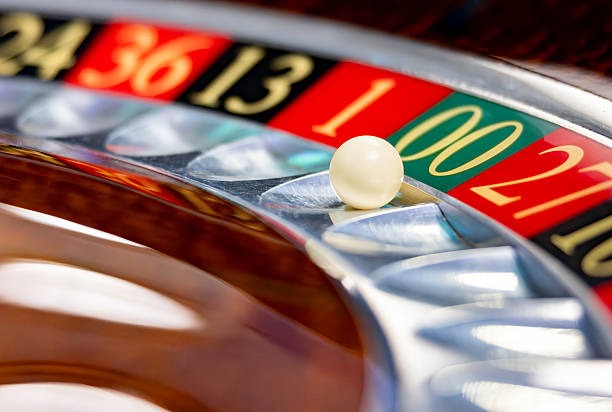
Our live-casino section offers blackjack, roulette, baccarat, and Dragon Tiger—all streamed from professional studios with real dealers. When you join a live table on keitogel, that table is added to your Recently Played list.
Live tables rotate throughout the day. If you played a blackjack table at 2 PM and return at 8 PM, that specific table may no longer be active. Recently Played shows you the table type (e.g., "Blackjack Table 3") and lets you join a similar active table with one tap. This way, you're never stuck looking for a replacement—we guide you to the next available option.


Slot Games in Recently Played
We host slot games including Aviator, Sweet Bonanza, Gates of Olympus, Fortune Tiger, and Mahjong Ways. Each time you launch a slot on keitogel, it's recorded in Recently Played. This is especially useful during seasonal events—if you were playing Fortune Tiger during Idul Fitri promotions and want to return, Recently Played gets you there instantly.
Slot history persists for 60 days. Unlike live tables, which rotate, slot games are always available, so your Recently Played slots list is a reliable shortcut to your favourites.
Managing Your Recently Played History
We give you full control over your Recently Played feed. In your account settings on keitogel, you can:
- Clear your entire Recently Played list with one tap.
- Remove individual entries by swiping or clicking the delete icon on each tile.
- Pause history recording if you prefer a blank slate (your account settings will show this preference).
- Export your play history as a CSV file for personal record-keeping (available in account settings under "Data & Privacy").
If you pause history recording, Recently Played will be empty until you resume. This is useful if you're sharing a device or prefer privacy during a session.
Deposits and Withdrawals via Recently Played
Recently Played is a navigation feature, not a payment tool. However, once you've funded your keitogel account, Recently Played gives you instant access to all your favourite markets and tables. We support deposits via DANA, e-wallet, mobile banking, local payment, online payment, e-wallet, and direct bank transfers (mobile banking, local payment, online payment, e-wallet).
To deposit on keitogel, go to your account menu, select "Deposit", choose your payment method, and follow the prompts. Most deposits settle within minutes. Once your balance is live, Recently Played is ready to use.
Withdrawals work the same way—go to "Withdraw", select your payment method, and enter your amount. We process withdrawals subject to standard verification windows. Your Recently Played history is unaffected by deposits or withdrawals.
Cross-Device Sync and Account Security
Your Recently Played list syncs across all devices linked to your keitogel account. Log in on your phone, and your history appears on your tablet or desktop. This sync is encrypted and tied to your account credentials.
We protect your account with standard security practices: encrypted data in transit and at rest, secure password reset, and optional two-factor authentication. Your Recently Played data is part of your account profile and is subject to the same privacy and security standards as your balance and transaction history.
If you suspect unauthorized access, change your password immediately and contact our support team. We do not offer time-based guarantees for support response, but our team reviews all security reports with priority.